
Episode 6 of 6: what happens to a clip after a fan shares it.
Sunday evening, a group chat. Someone drops in a clip from the race, and the link preview looks great: a frame from the overtake, a short caption, a line inviting you to watch. A friend who skipped the race taps it.
For a rights holder, that tap is the cheapest new fan it will ever get: someone who doesn’t use the app yet, arriving because a friend sent them.
What that friend sees next decides what the share was worth. We shared Stories and clips from the F1, MotoGP, FIFA World Cup 2026 and MLB apps on an iPhone, then opened them on an Android phone with no app, with the app installed but not logged in, and logged in. We’ll follow each share in order: what the fan can send, what the friend receives and what happens when they tap.
One app gets the friend to the video without installing anything. Another gets a brand-new install straight onto the shared clip. They’re two different apps.
Key findings in 60 seconds
- Social sharing in sports apps holds up until the tap. F1, MotoGP, MLB and the FIFA World Cup 2026 app all send strong link previews for their main formats. After the tap, only MLB plays the full Story without the app, and only MotoGP opens a fresh install on the shared clip.
- F1 sends the most polished cards, and a friend without the app lands on a Play Store listing.
- MotoGP is the only app where a fresh install opens straight on the shared clip.
- The World Cup app's web player works well, after a ticket prompt and a content hub.
- MLB plays the full Story in the browser, with nothing to install.
A share is worth what the friend sees after tapping it.
| Dimension | F1 | MotoGP | FIFA World Cup | MLB |
|---|---|---|---|---|
| What fans can share | Stories, Moments, calendar sync | Moments, Stories, articles | Stories, Chip Challenge card | Player Stories, clips, articles, Pickle |
| The card the friend sees | Branded Stories, clip-first Moments | Large-thumbnail cards, CTA per format | Branded on match Stories, bare link elsewhere | Richest Player Story card, generic clip text |
| Tap without the app | Play Store listing | Branded page, no playback | Web player after a 2030 ticket prompt | Full Story plays in the browser |
| Tap with the app | Exact content, except on a fresh install | Straight to content, even on a fresh install | Opens in the browser | Opens in the browser |
What can fans actually share?
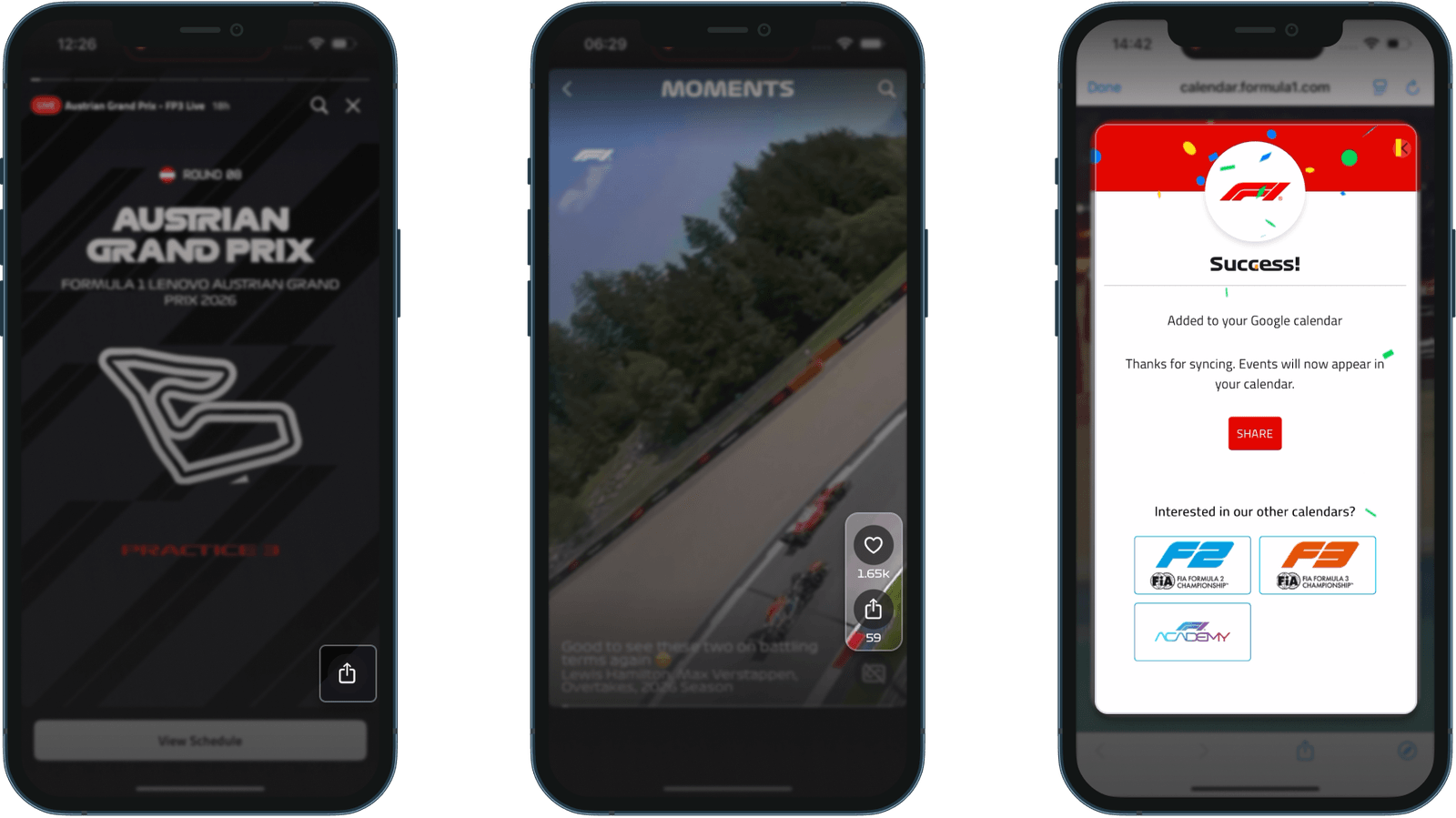
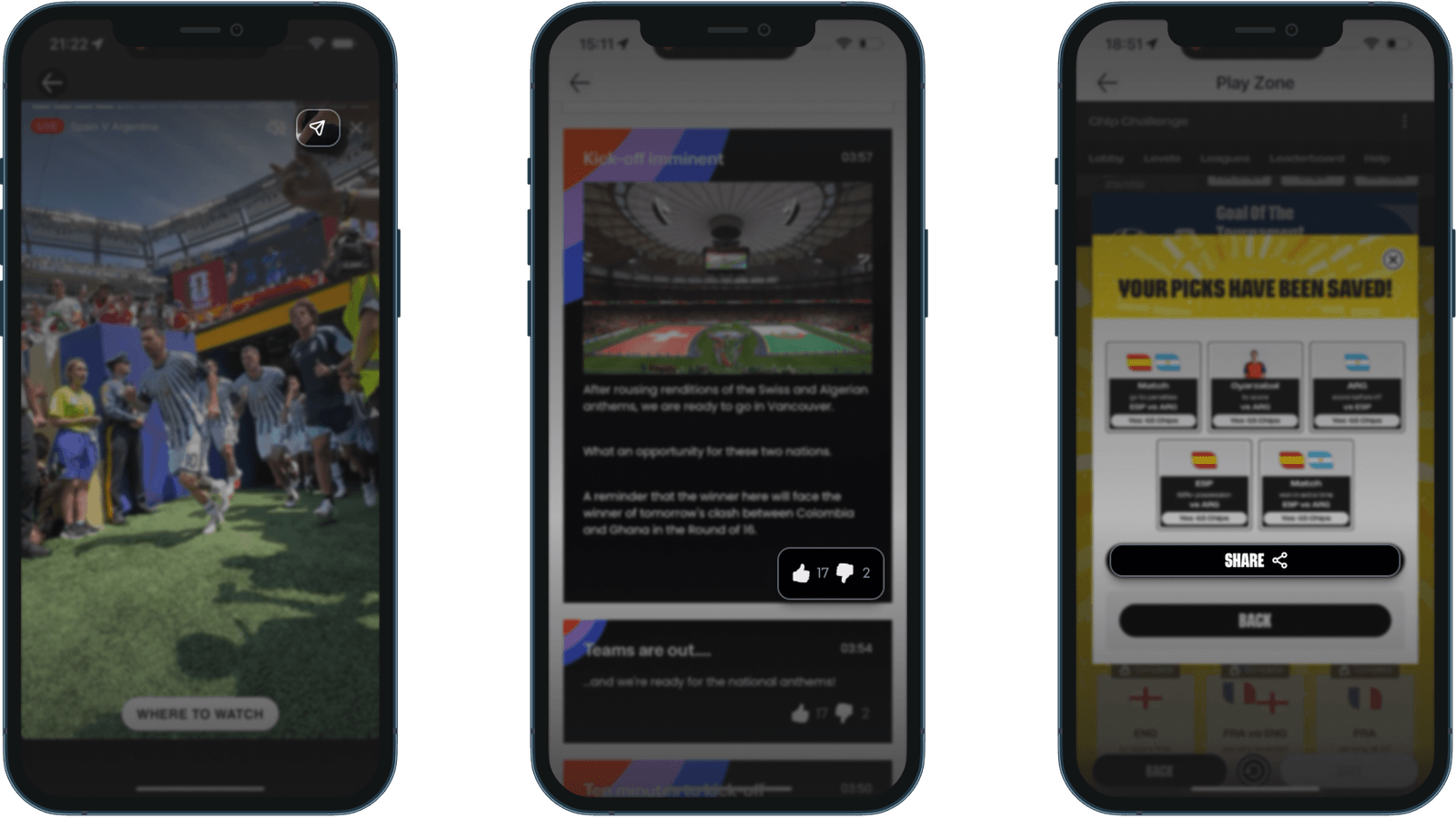
Plenty, as long as it’s a clip or a Story. F1 puts a share icon on every Story slide and every clip in Moments, its vertical, TikTok-style feed. The calendar sync screen has one too.
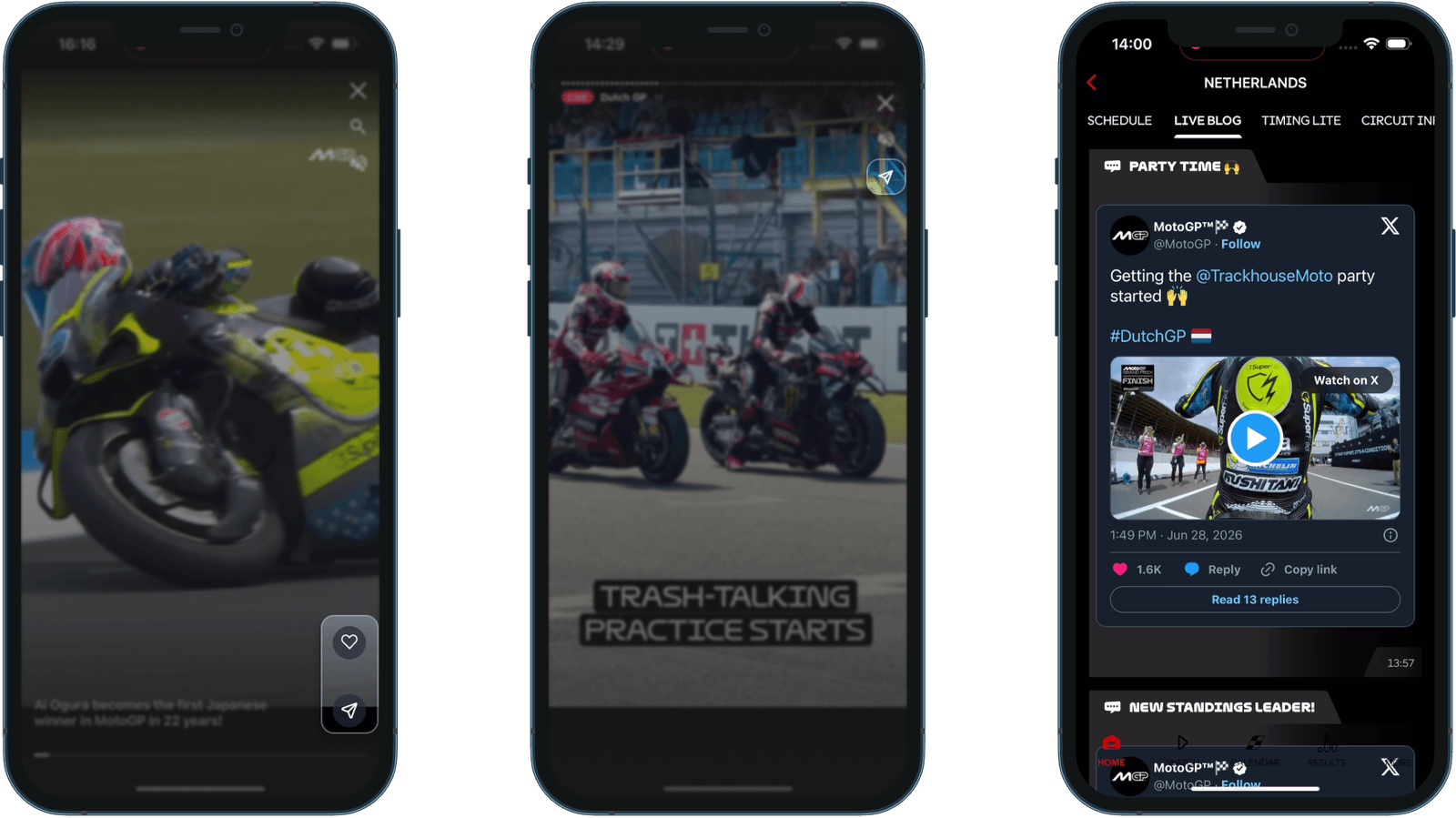
MotoGP covers every Moments clip and Story slide, plus articles and videos. Its Live Blog is built from embedded X posts, so a race moment passed on from there arrives as an X link and the friend never reaches MotoGP.
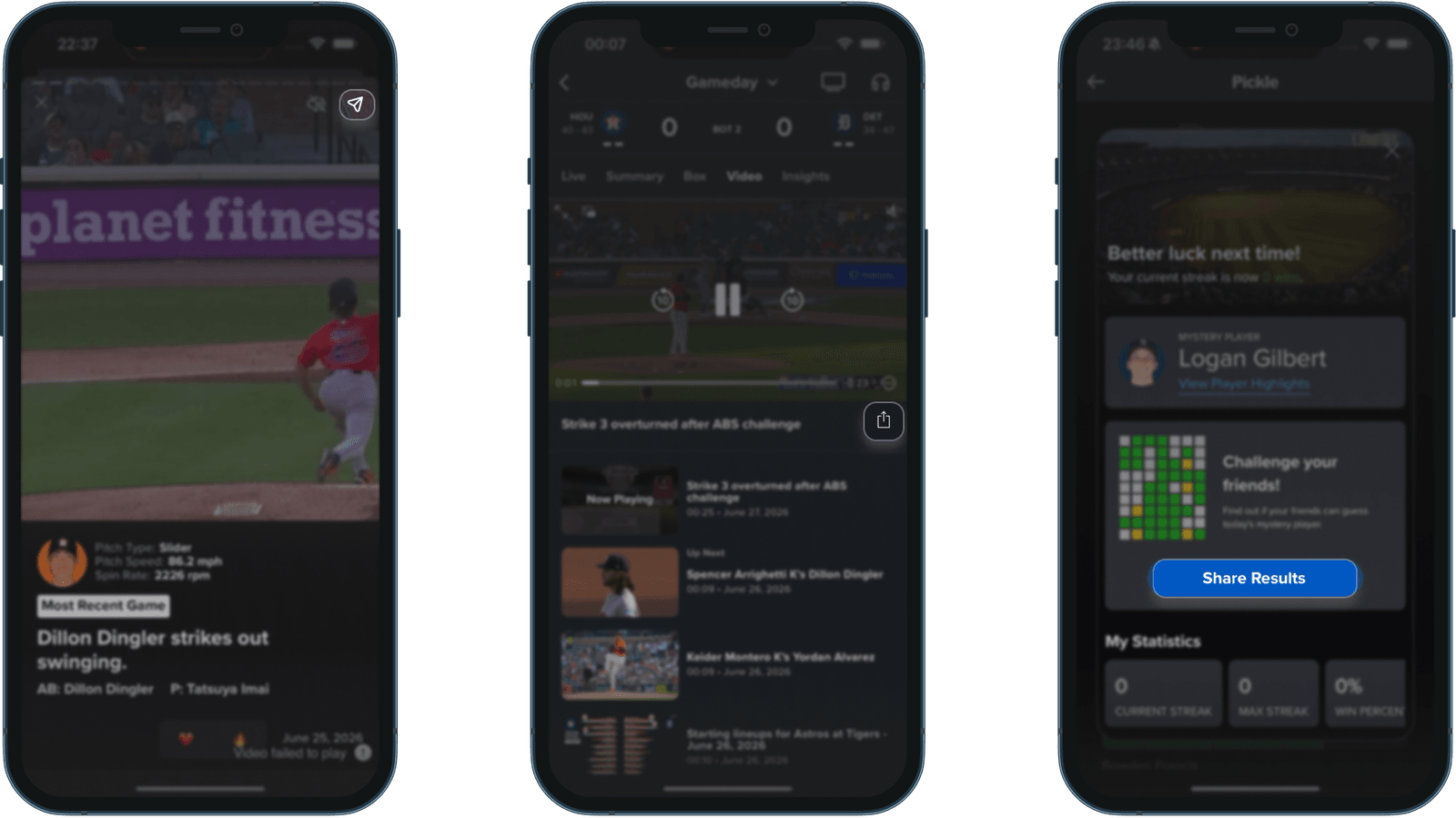
In the World Cup app, Stories are the main thing to send, while the Live Blog’s 40+ entries and stat graphics have no share option. MLB is the most generous, with a share button on Player Stories, every in-game highlight, articles and the video archive.
None of the four apps lets a fan trim, download or send the video itself. Every share is a link, so in a sports highlights app the link carries the whole experience.
The only shares that send an image are games from Episode 4: MLB’s Pickle colour grid and the World Cup app’s Chip Challenge prediction card. And in F1 and MotoGP, results, standings and live timing have no share button.
What does the friend receive?
Here all four apps have done careful work.
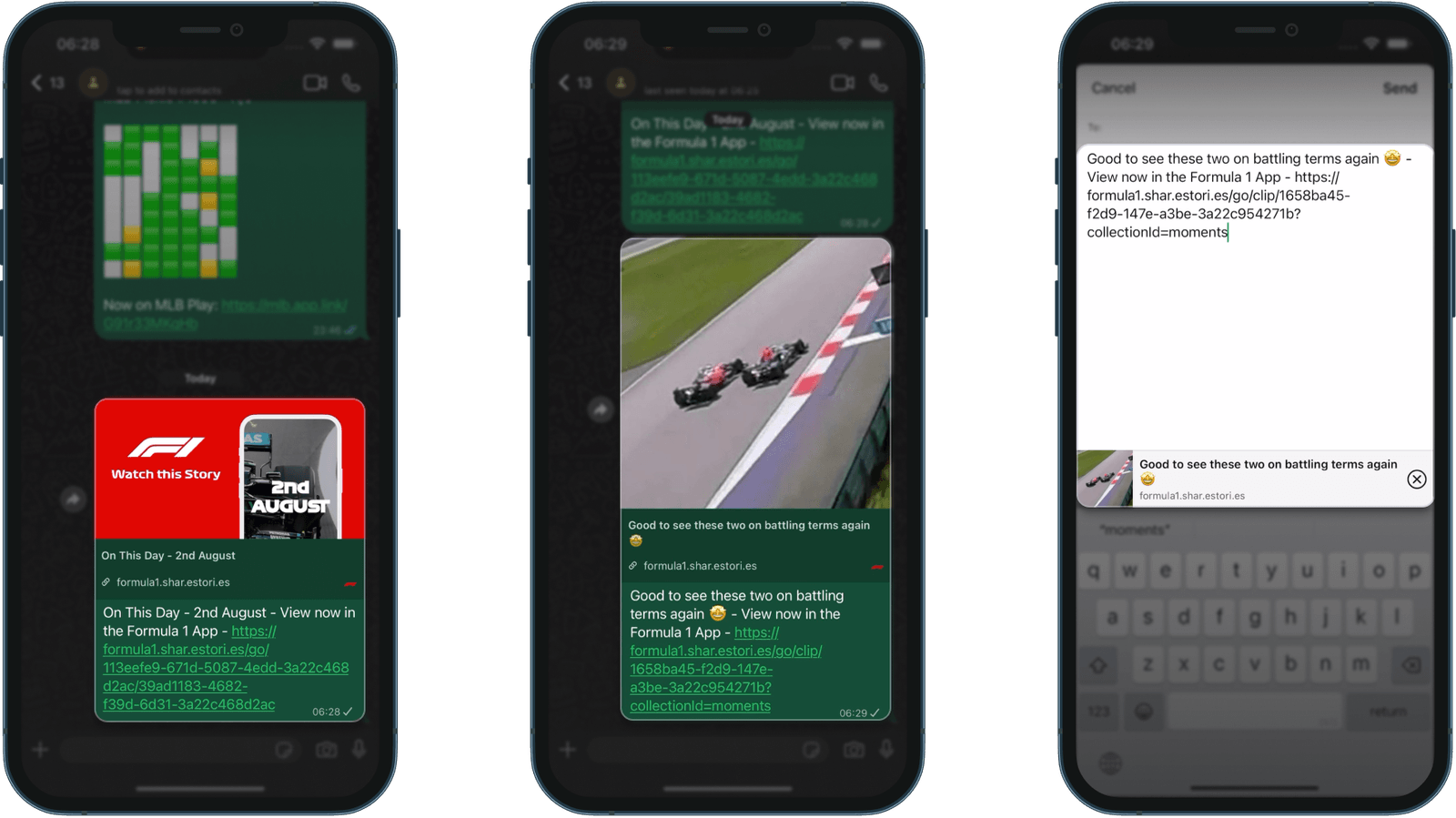
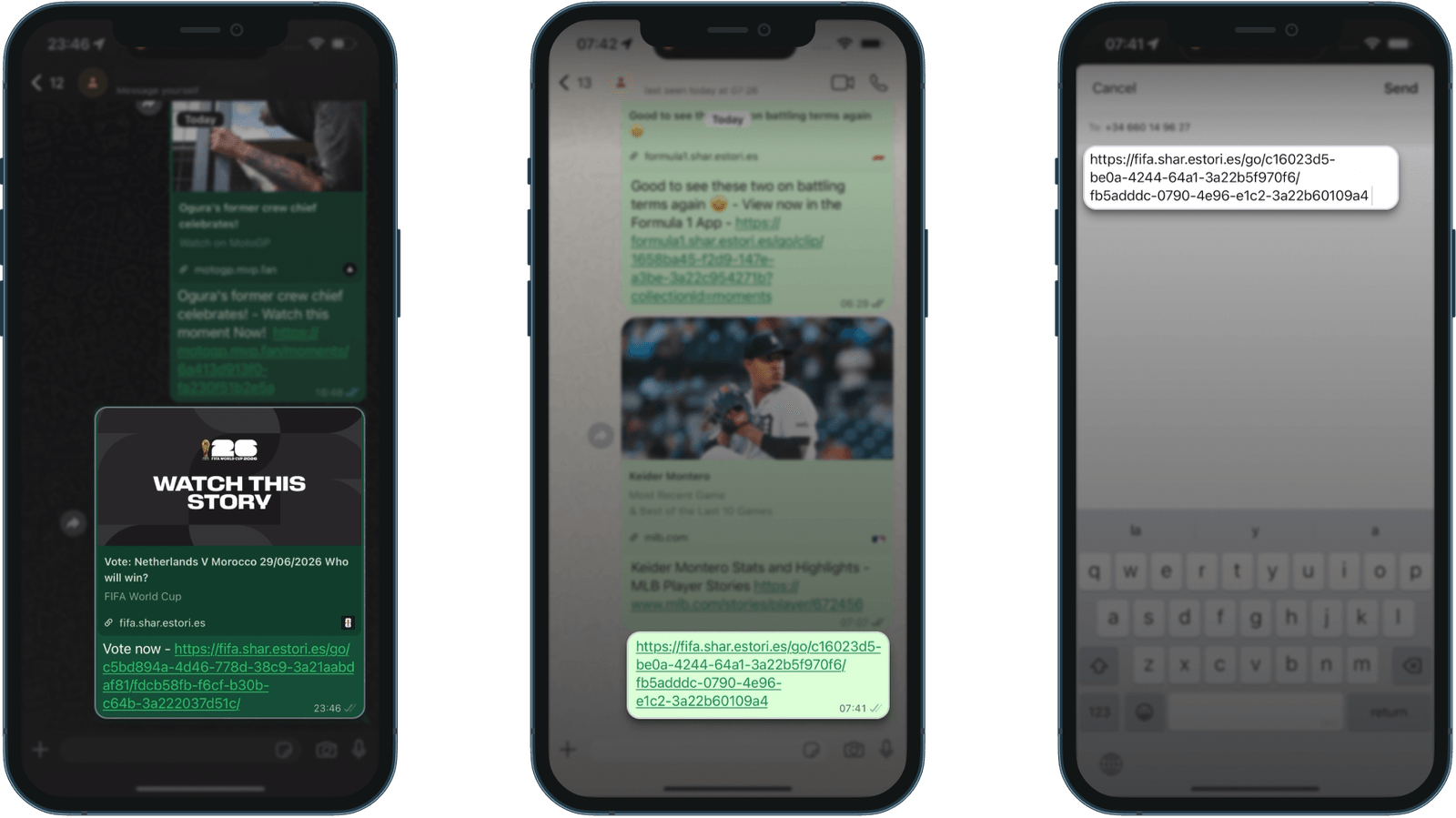
F1 has two styles: Stories send a branded red card saying “Watch this Story”, while Moments send a frame from the clip and an emoji caption that reads like a friend wrote it. Both arrive with pre-filled text, “View now in the Formula 1 App”.
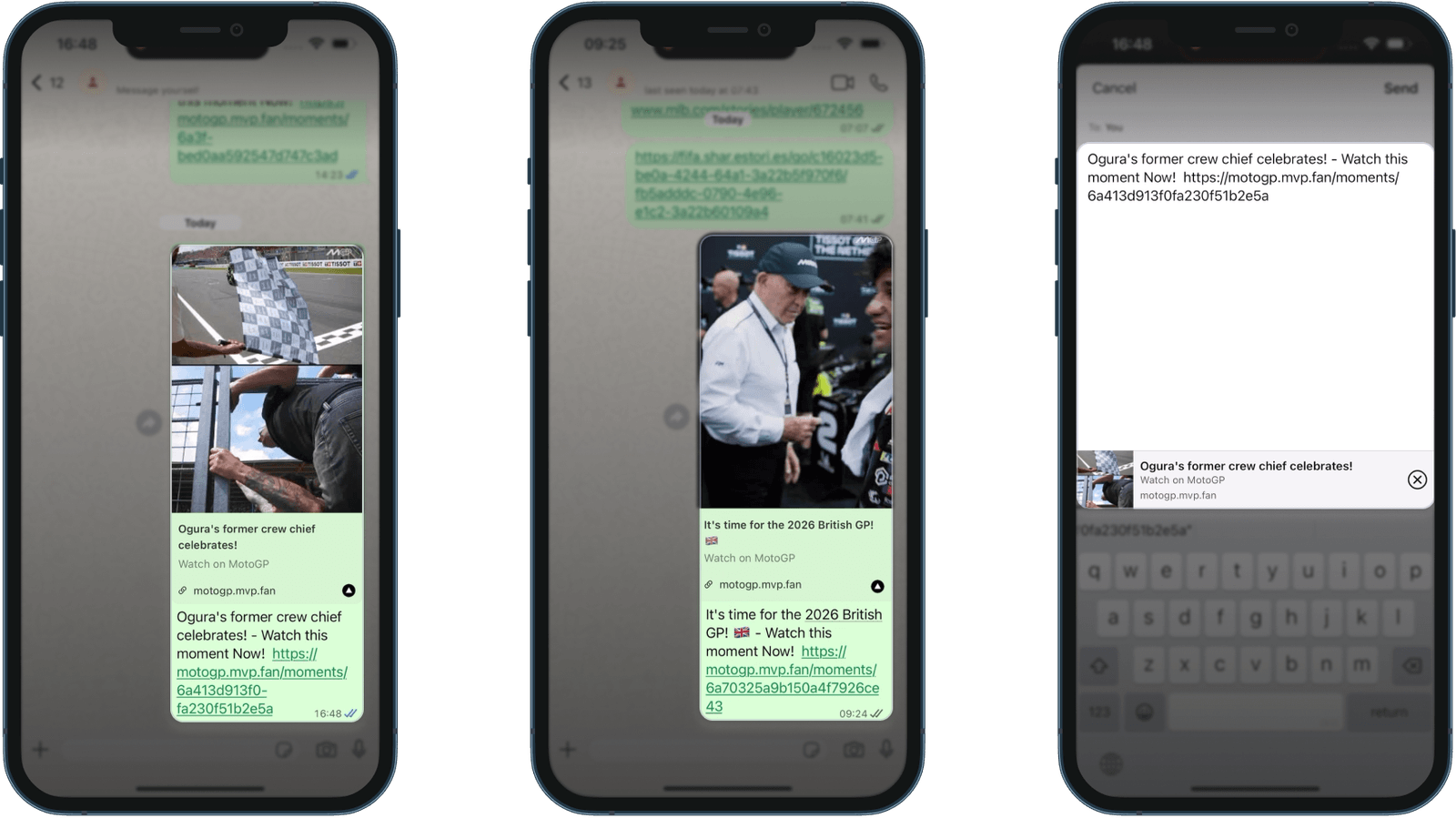
MotoGP sends large-thumbnail cards with a call to action for each format (“Watch this moment Now!”, “Watch this story Now!”).
The World Cup app varies by content type. Match Stories send a branded card, and prediction Stories nicely switch to “Vote now”. Compilations such as “Best Goals: Quarters & Semis” arrive as a bare link, and iMessage shows no rich preview.
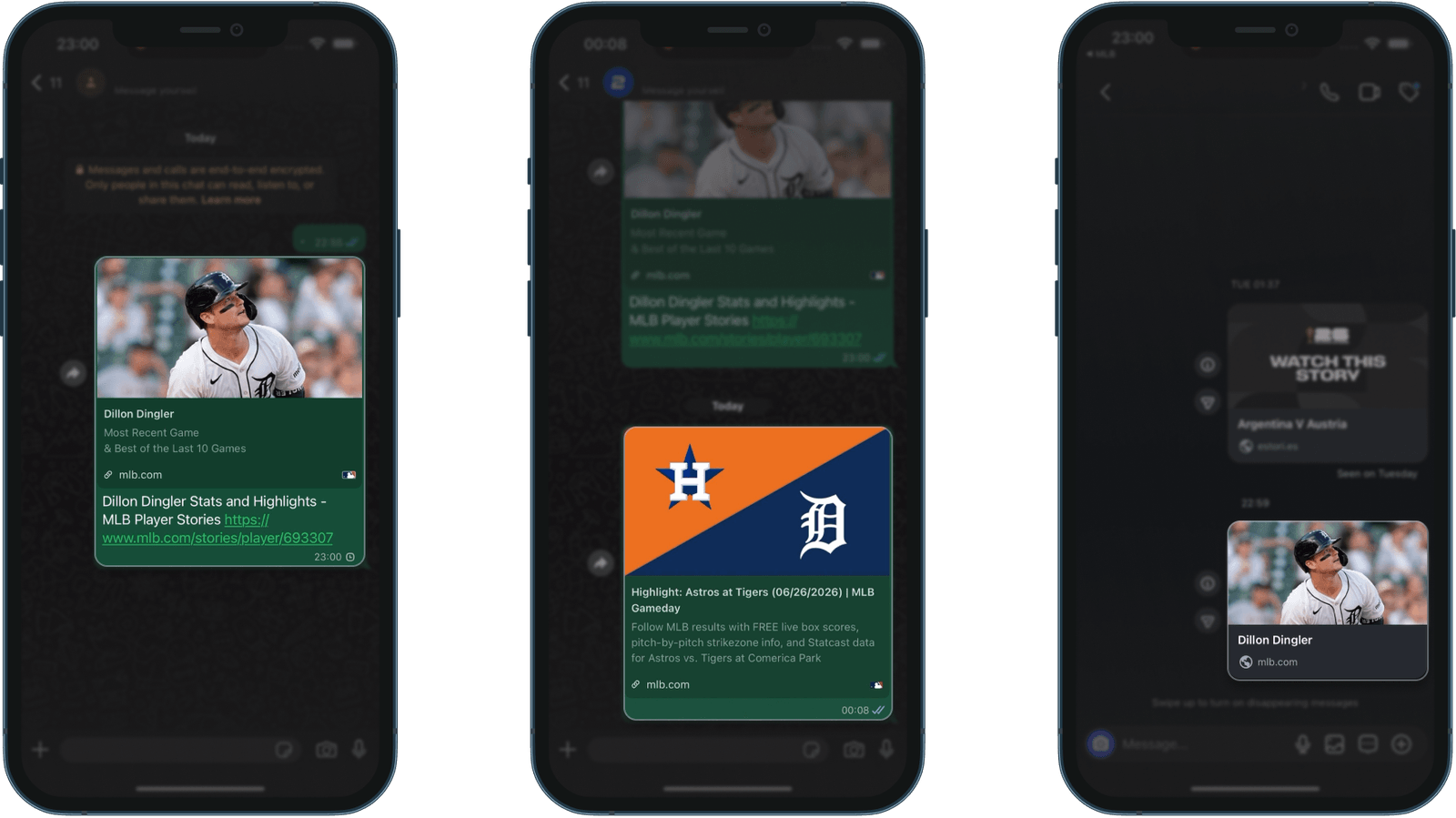
MLB’s Player Story cards carry the most: an action photo, the player’s name, the chapter subtitle and mlb.com. Its clips are less specific, because every highlight from one game carries the same game-level description, and Instagram drops the Player Story’s chapter subtitle.
What happens when they tap?
Start with the friend who doesn’t have the app, the person a share can turn into a new fan.
On F1, the tap opens the Play Store listing, with nothing from the clip on it. It’s an app-first choice with a clear trade-off: the experience stays inside the app, and the friend has to install before seeing what they were sent.
MotoGP opens a branded page with the tagline “Every overtake. Every moment. Everywhere”, the clip thumbnail and a download button. The video doesn’t play there.
The World Cup app sends the friend to fifa.com: a World Cup 2030 ticket prompt, then a content hub, then a web Story player with an “Open App” banner that leaves the video visible. Three screens stand between the friend and the video, and the player is good once they reach it.
MLB plays the full Story in the browser, with closed captions and Statcast overlays for pitch type, speed and spin rate. It’s the only app where the friend gets everything without installing. One thing we’d add is a path into the app, since the page has no download prompt.
Once the app is installed, MotoGP opens Story links after a consent screen, with no login. It’s the only app where a fresh install lands directly on the shared clip.
F1 opens the exact Story or Moment for anyone already past onboarding. On a fresh install the clip gets lost, and the new user lands on the generic welcome screen instead.
The World Cup app and MLB open in the browser in every state. For MLB that looks like a deliberate web-first choice, since its Story URLs are web pages by design.
So MLB gets the friend to the content without the app, and MotoGP gets a new install into the shared clip, which is the job deferred deep linking does. Each has solved one half.
What this tells us about social sharing in sports apps
Each app gets one part right. F1’s cards are the most carefully made, and a web player behind them would let the friend see the clip first. If MotoGP’s branded page played the video, its deep linking would cover both halves. The World Cup app’s fix is order (video first, ticket prompt after), and a route into MLB’s app would turn browser viewers into fans it knows.
Across the set, most of the effort goes into the half of the share the sender sees. The strongest results came where the tap was treated as an acquisition moment, because every shared link is a first impression for someone who isn’t a user yet.
For a smaller rights holder, the quickest win is the link preview. It needs no new feature, only its own title, image and description for each type of content.
That closes Season 1, which followed one fan through four apps from the build-up before an event to the group chat after it. All six episodes come together in our Fan Engagement Benchmark, out later this month.
How does your app compare?
Score your sharing against what we found.
Frequently asked questions
What is deferred deep linking, and why does it matter for sports apps?
Deferred deep linking takes someone who installs an app from a shared link to that exact content once the install finishes. In a sports app, a friend who installs from a clip starts on that clip instead of a welcome screen. In our testing, MotoGP was the only app that did this.
Should a shared link open the app store or a web page?
In our testing, the friend who could watch in the browser got the fullest experience. We'd play the content on the web first, add an Open App prompt that leaves the video visible, and use deferred deep linking so a new install opens on the clip that brought the fan in.
How do Open Graph tags control the link preview in WhatsApp and iMessage?
WhatsApp and iMessage build the link preview from the page's Open Graph tags, mainly og:title, og:image and og:description. A content type without its own tags gets a generic card, or a bare link with no preview at all. Compilations and individual clips need their own tags too.
Which sports app handles shared links best?
It depends on who taps. MLB gives a friend without the app the fullest experience: the whole Story plays in the browser, with captions and Statcast overlays. MotoGP is the only app where a fresh install opens straight on the shared clip, and F1 sends the most polished cards.
This is the Season 1 finale of UX Rerun. Catch up on Episode 1, Episode 2, Episode 3, Episode 4 and Episode 5. The full season comes together in our Fan Engagement Benchmark.
Fan Engagement Benchmark